LiveClipboard Implemented in Skydasher - Screencast
A little bit later than I thought, but we managed to whip up the code necessary to bake Ray's LiveClipboard functionality into my weblog template and into the permanent feature set of Tucows Skydasher. Very cool stuff - click this icon for a demo of the functionality.
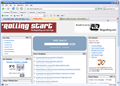
Don't forget, the Skydasher beta is wide-open - you can create a custom RSS Desktop under your brand for your users quite easily - just go to Tucows Start Beta signup page for more details. Or, if you just want to play around with the functionality for yourself, you can sign-up for a Blogrolling branded account over at 'Rolling Start.
The only other change I want to make is to use this icon  instead of the plain scissors. Comments on whether or not this would be useful or not would be totally appreciated. I’m whipping up the graphics necessary to implement this, but can always go in another direction if need be.
(Yeah – I know the screencast says that the software is “Unregistered” – this comes from the AVI -> MPG converter that I used. I ponied up the $29.95, but I’m still waiting for my registered version to show up. Honest.)
PS - the connection between Ray and Blogware? No one got it (or no one cared enough to comment) but the right answer was that Joe McDonald was not only the original coder behind Blogware, but he was also one of the two people that came up with the name for “screencasting” when Jon Udell was trolling for a name. I know, tenuous connection, but definitely worth noting  )
See this post as it first appeared on Blogware.
3 comments
Comments are closed - these are kept exactly as they were left.
Brent Ashley, March 9, 2006
What's the thinking behind the XML addition to the scissors? It could confuse people who are looking for syndication feeds and I'm not sure why it should be necessary to expose that there is an XML microformat behind the scenes. Users simply need to know that it's for cutting and pasting. Is the icon to notify users of the cut/paste feature or to notify VCs that your product is Web MeTooDotOh compliant ;) ?
Brent Ashley, March 9, 2006
Ahh, I see now, this particular clipster is to cut/paste the RSS feed. For that purpose, the morphed icon conveys the two things at once - cut here, and you'll get an rss feed.
I thought you were suggesting to change the icon for all clippable thingmies.
<emily-litella>Never mind</emily-litella>
Ray Slakinski, March 9, 2006
Put me up as someone who dislikes the XML addition... it looks good just the way it was.